

Why use Facebook Business Manager with Qwikvid for Real Estate Marketing?
- Two billion people use Facebook every month. Qwikvid can send your single property website traffic to your Facebook Ad account, and then you can use what Facebook knows about those users — like demographics, interests, and behaviors — to connect with people similar to them.
Steps to connect:
- Login at: https://business.facebook.com
- Click "Business Settings" in the upper right corner.

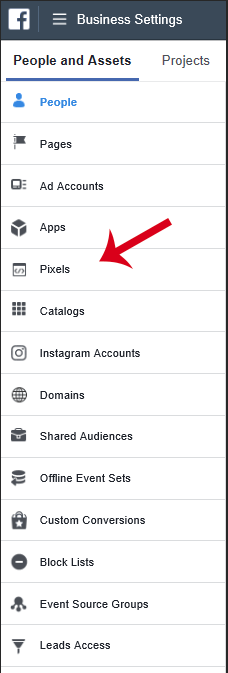
- Click "Pixels" in the left navigation menu.
- If you don't yet have a pixel asset just click "+ Add". Otherwise select the pixel you'd like us to send data to - and then send us that ID.
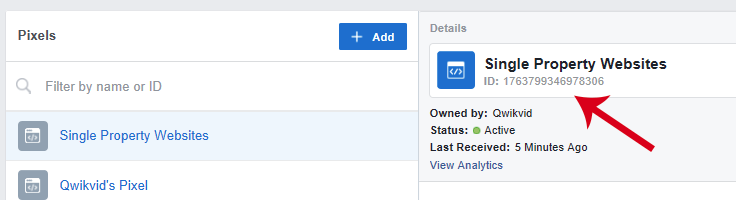
- Add your Facebook Pixel ID to your company settings on your Qwikvid profile.
OPTIONAL STEPS:
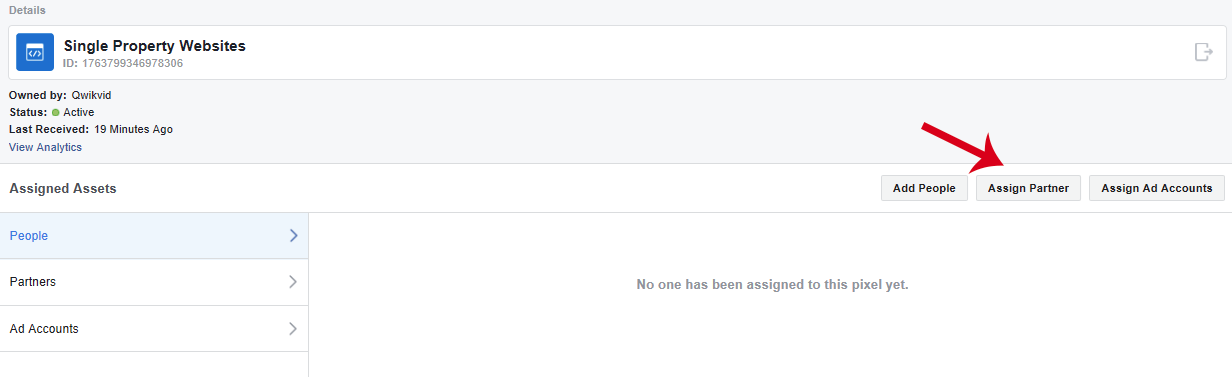
- Grant us access to verify everything is setup and working correctly.
- Click the “Assign Partner” button.
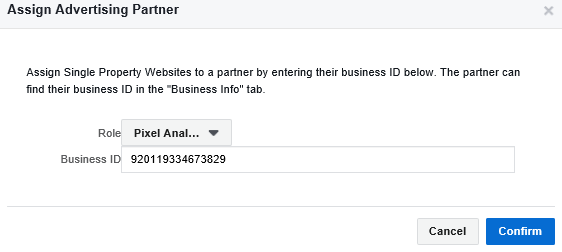
- Give us a “Analyst” role and enter our Business ID: 920119334673829
- Send us the generated link facebook provides .